Opening Hours
Frequently Asked Questions
What services do you offer for computer repairs near me?
We provide a wide range of computer repair services including hardware and software troubleshooting, virus removal, system upgrades, and data recovery.
How quickly can you perform computer repairs?
Our technicians strive to provide same-day service for most repairs. The exact time depends on the nature of the issue.
Are your technicians certified?
Yes, all our technicians are certified and have extensive experience in computer repairs and IT support.
Do you offer remote computer technical support?
Yes, we offer remote support to resolve software issues, troubleshoot problems, and provide IT assistance.
What areas do your computer services cover?
We offer computer repair and IT support services throughout Brisbane and the surrounding areas.
How much do computer repairs cost?
The cost varies depending on the complexity of the issue. We provide a transparent pricing structure and offer free quotes.
Can you send a computer technician near me?
Yes, we have a network of technicians who can come to your location for on-site repairs and support.
What types of issues can your PC fix near me handle?
Our technicians can handle a variety of issues including hardware malfunctions, software errors, network problems, and performance optimization.
Do you offer services for both PCs and laptops?
Yes, we provide repair and support services for both desktop PCs and laptops.
Can you help with laptop repair?
Absolutely, we offer comprehensive laptop repair services including screen replacement, keyboard repair, and battery replacement.
Where can I find laptop repairs near me?
Our mobile technicians can come to your location to perform laptop repairs, ensuring convenience and quick service.
Do you provide computer repairs in Brisbane?
Yes, we are based in Brisbane and offer our full range of services to residents and businesses in the area.
How do I book a PC repair near me?
You can easily book a repair through our website, by calling us, or by visiting our office.
What should I do if my PC repairs are not satisfactory?
We offer a satisfaction guarantee and will work with you to resolve any issues until you are completely satisfied with the repair.
Are your computer technicians experienced?
Yes, our technicians have years of experience and are well-versed in handling all types of computer issues.
How can I get my computer fixed near me?
Simply contact us via our website or phone, and we’ll arrange for a technician to visit your location.
Do you offer emergency computer help near me?
Yes, we offer emergency support services to address urgent computer issues that need immediate attention.
What kind of IT support do you provide?
Our IT support includes network setup, cybersecurity, data backup, and recovery, as well as regular maintenance and troubleshooting
Can you assist with PC help near me?
Yes, our technicians are available to provide on-site PC help for any issues you might be experiencing.
Do you offer mobile computer repairs?
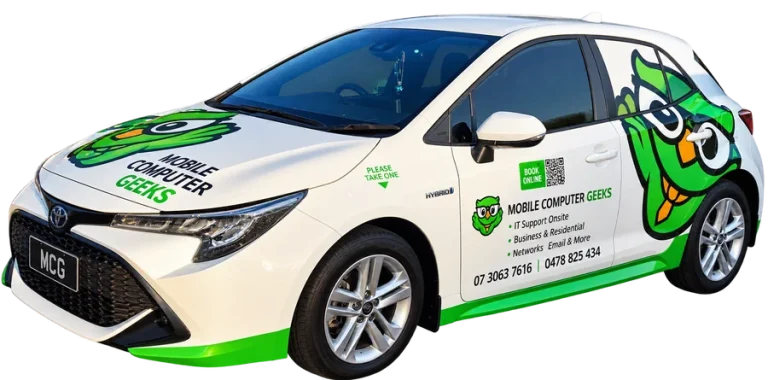
Yes, our technicians can come to your home or office to perform repairs, ensuring convenience and efficiency.
How do I know if my computer needs a repair?
Common signs include slow performance, error messages, unexpected shutdowns, and hardware malfunctions. If you’re experiencing any of these, it’s best to get a professional diagnosis.
Can you fix software issues?
Yes, we can troubleshoot and resolve a variety of software issues, including operating system errors, application crashes, and malware infections.
What is the turnaround time for laptop screen replacement?
Typically, we can replace a laptop screen within 24 to 48 hours, depending on parts availability.
Do you provide on-site IT support for businesses?
Yes, we offer comprehensive on-site IT support services tailored to meet the needs of businesses.
How do I get started with your computer repair services?
You can start by contacting us through our website or phone to schedule an appointment or request a quote.
What payment methods do you accept?
We accept various payment methods including credit/debit cards, bank transfers, cash. Afterpay and Zippay.
Can you recover lost data from my computer?
Yes, we offer data recovery services to retrieve lost or deleted files from your computer.
Is there a warranty on your repair services?
Yes, we provide a warranty on all our repair services to ensure your satisfaction and peace of mind.
What do I do if my computer won't turn on?
Contact us immediately for a diagnostic. We can help determine the cause and provide a solution to get your computer running again.
Do you offer support for Mac computers?
Yes, our technicians are skilled in repairing both Windows and Mac computers.
How do I prevent my computer from getting viruses?
We recommend using reliable antivirus software, keeping your system updated, and avoiding suspicious downloads and emails.
Can you help with setting up a new computer?
Yes, we can assist with setting up new computers, including software installation, network configuration, and data transfer.
What should I do if my computer is running slow?
We can perform a system optimization to improve performance, including cleaning up unnecessary files and upgrading hardware if needed.
Do you offer maintenance services for computers?
Yes, we offer regular maintenance services to keep your computer running smoothly and prevent future issues.
How can I secure my computer against hackers?
We provide cybersecurity services including firewall setup, antivirus installation, and security audits to protect your computer from threats.
Can you help with network issues at my home or office?
Yes, we offer network troubleshooting and setup services for both home and office environments.
What should I do if my laptop battery isn't holding a charge?
We can diagnose battery issues and provide replacement services to ensure your laptop functions properly.
Do you offer any discounts for regular customers?
Yes, we offer loyalty discounts and special promotions for our regular customers. Contact us to learn more.
Can you assist with custom-built computers?
Yes, we provide services for custom-built computers, including assembly, troubleshooting, and upgrades.
What makes your computer repair service different from others?
Our commitment to customer satisfaction, experienced technicians, and comprehensive range of services set us apart from other repair services. We prioritize quick and reliable solutions tailored to your specific needs.