Opening Hours
Call Us:
MON-FRI: 8am - 4:30pm
SATURDAY: 8am - 2:30pm
Book Online 24/7
Booking Times:
MON-FRI: 8am - 7pm
SAT-SUN: 9am - 3pm
Mobile Computer Geeks specializes in helping with insurance claims for damaged electronic devices, including computers, laptops, and mobile devices. We assess the damage and prepare a detailed repair report for your insurance provider. Get in touch with Mobile Computer Geeks to arrange your appointment now!

It’s frustrating enough when your computer or laptop goes down, but navigating the complexities of a computer repair insurance claim can be maddening! Let Mobile Computer Geeks simplify the process for you. We’ll prepare a detailed computer repair report for your insurer and can even submit it on your behalf. Here’s how we handle it.
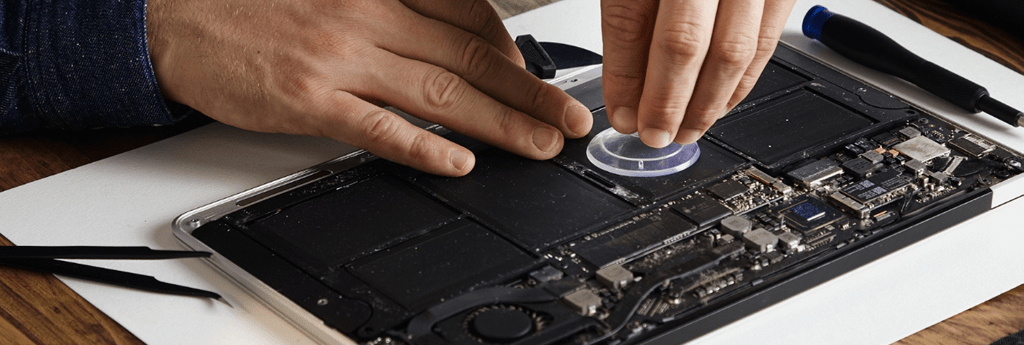
Device slipped from your grasp? Hit by a power surge? We’ll thoroughly examine your computer or laptop, determining the source of the malfunction and the scope of the damage.
We’ll check if your laptop, Windows computer, or Apple Mac can be fixed or if it’s better to replace it. Then, we’ll present all the available solutions to both you and your computer repair insurance company, helping you get back to normal as quickly as possible.
Your Mobile Computer Geeks technician will compile a clear and concise computer repair report with all the necessary details for your insurer, streamlining the entire claim process. We’ll even handle sending the report to your insurer to spare you the trouble!
Fix your issue before it gets worse. Book now!
Don’t let technical issues disrupt your day. Our experts are available for same-day service across Brisbane. Secure your slot now and get your computer fixed sooner. Book online in 60 seconds with instant confirmation.
When your computer starts acting up—slowing down, freezing, or refusing to start—rolling up your sleeves and trying to troubleshoot is...
Have you noticed your laptop slowing down, heating up more often, or struggling with simple tasks? These signs often point...

Is your computer running slower than usual or acting unpredictably? Whether you’re a home user trying to check emails or...
What is computer memory (RAM)?
Random Access Memory (RAM) acts as your computer’s “short-term” workspace. It temporarily stores the data your processor needs right now, providing instant access to the applications and files you are actively using.
More RAM allows your system to run faster and smoother when multitasking, editing large files, or playing modern games.
64 GB or more
Heavy 4K/8K video editing, complex 3D modeling, and extreme multitasking. Ideal for professional workstations and running heavily modded games.
32 GB
The sweet spot for modern, high-end gaming and content creation. Perfect for playing demanding titles while streaming, recording, or running background apps.
16GB
Solid everyday performance and mainstream gaming. Great for web browsing with multiple tabs, standard office multitasking, and casual gaming.
Other factors that impact your computer’s memory performance:
Note: Custom builds by Mobile Computer Geeks are configured to utilize dual-channel memory where applicable, with XMP/EXPO profiles enabled in the BIOS to guarantee you get the maximum advertised speeds
What is computer storage?
Your storage drive is your computer’s long-term memory. It permanently holds your operating system, documents, games, and media, even when the PC is turned off.
More storage means you can keep more large files and applications installed simultaneously. We measure capacity in gigabytes (GB) and terabytes (TB), where one terabyte equals roughly 1,000 gigabytes.
2 TB to 4 TB+
Power users and heavy gamers. Ideal for holding a massive library of modern AAA games, 4K video editing files, and large creative projects without having to constantly uninstall older files to make room
1 TB
The modern standard. Perfect for the average user, providing enough room for your operating system, core applications, and a solid rotation of large games.
500 GB
Entry-level use. Adequate for basic computing, office work, web browsing, and storing documents, with room for maybe one or two smaller applications or games.
Other factors that impact your computer’s storage performance:
What is a graphics card?
Your graphics card (GPU) renders the images, videos, and 3D graphics you see on your monitor. It is the single most critical component for demanding applications like gaming, video editing,and AI.
Discrete graphics cards include their own dedicated processor and memory. As a result, they deliver vastly superior performance, allowing for higher resolutions and smoother frame rates.
NVIDIA® GeForce RTX® 50 Series
GDDR7
Up to 32 GB
Uncompromised 4K gaming, maximum ray tracing, and ultimate AI/DLSS 4&5 performance.
NVIDIA® GeForce RTX® 40 Series
GDDR6X
Up to 24 GB
Elite 1440p to 4K gaming with excellent DLSS 3 frame generation.
AMD Radeon™ RX 7000 Series
GDDR6
Up to 24 GB
Elite 1440p to 4K gaming with excellent DLSS 3 frame generation.
Other factors that impact your computer’s graphics experience:
What is a power supply?
The power supply unit (PSU) is the heartbeat of your computer. It converts the alternating current (AC) from your wall outlet into the stable, direct current (DC) power that your individual components need to function.
A high-quality PSU does more than just turn the PC on; it protects your expensive hardware from electrical surges, ensures system stability under heavy loads, and dictates what upgrades you can make in the future.
850W to 1300W+
Ultra-high-end configurations, heavy overclocking, and flagship graphics cards (like the RTX 4090 or 5090) paired with extreme multi-core processors.
750W
The modern enthusiast sweet spot. Perfect for high-end gaming builds running cards like an RTX 5080, providing excellent stability and safe headroom for future upgrades.
400W–750W
Solid, reliable power for mid-range 1080p and 1440p gaming systems, and high end office systems.
Other factors that impact your computer’s power delivery and safety:
Leave your details and our team will call you back shortly.