Opening Hours

MacBook and iMac repairs in Brisbane
Mac won’t start? Emails playing up? Whether you use your Apple computer for work, study or keeping in touch, we’ll help you work out what’s wrong. Book Mobile Computer Geeks for Mac support at home, at work or remotely where suitable.


MacBook Air
MacBook Pro
iMac
Mac mini
Get back to the things you use your Mac for
A Mac problem doesn’t always announce itself with an error message. Sometimes it’s a spinning wheel that won’t go away, a printer that has disappeared or a battery that barely gets you through a meeting. You know something isn’t right, but knowing where to start is another matter.
That’s where we come in. Mobile Computer Geeks helps households and businesses with MacBook, iMac and Mac mini problems across Brisbane and surrounding areas. We’ll listen to what’s been happening, check the likely causes and explain the options in everyday language.
You don’t need to know the technical name for the problem. Tell us what your Mac is doing, when it started and what you need it to do. We’ll take it from there.
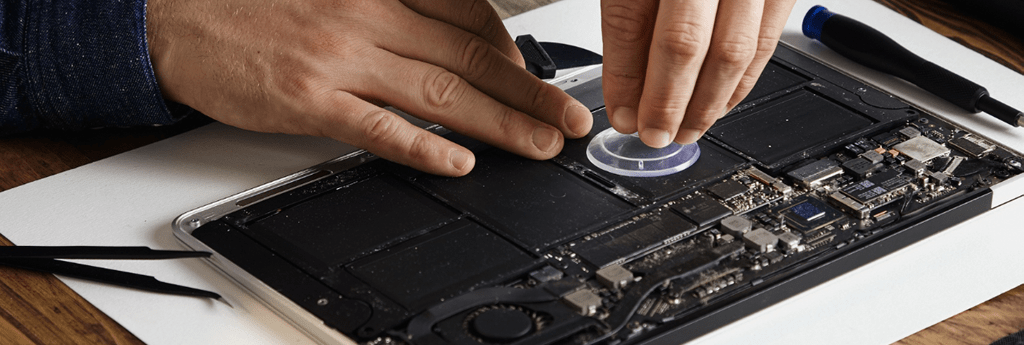
Everyday Mac support, all in one place
Your computer, accounts and internet connection all need to work together. We can look beyond the obvious symptom and help with the jobs that have been sitting on your to-do list.
Missing files and photos
Deleted something you need or can’t access a drive? Our data recovery service can assess the problem and discuss recovery options. Avoid saving new files to the affected drive while you’re seeking help.
Moving to a new Mac
We help transfer available files, set up your accounts and check that the things you use are where you expect them. We can also organise a backup routine for the new computer.
Unwanted apps and pop-ups
Odd browser behaviour or persistent warnings need a closer look. We check for unwanted software, review browser settings and help you understand what to do when a suspicious message appears.
Software and macOS
Need an app installed or an update sorted out? We’ll check compatibility, available storage and your existing setup before making changes, then help with the settings you need.
Wi-Fi and shared devices
A Mac that keeps dropping off Wi-Fi can make everything feel unreliable. We troubleshoot the connection and help connect compatible printers, displays and other equipment.
Email that works across devices
We help with account setup, sending and receiving problems, and syncing mail across your Mac and phone. If email is the main issue, take a look at our email assistance.
What is your Mac doing?
Similar symptoms can have different causes. We’ll check the basics and investigate the fault before recommending parts or a replacement computer.
Switching off or struggling to charge
Deleted something you need or can’t access a drive? Our data recovery service can assess the problem and discuss recovery options. Avoid saving new files to the affected drive while you’re seeking help.
Stuck during startup
If your Mac stops at a blank screen or won’t reach the desktop, we can investigate the startup problem. Let us know whether your files are backed up before anyone reinstalls software or erases anything.
Flickering or an unreliable display
A display fault needs checking before you commit to a new screen. We’ll consider the symptoms, connected equipment and model, then explain whether further hardware assessment is needed.
Camera, microphone or call problems
If people can’t see or hear you, we can check app permissions, settings and connected devices. We’ll help narrow down whether the problem follows the app, the internet connection or the Mac itself.
Help for the Mac you already own
Bring us the model and the problem, whether you’re using an older workhorse or a more recent purchase. The available repairs and upgrades depend on the exact model and its condition.
MacBook Air
Help with everyday performance, email, Wi-Fi, storage and software on the laptop you take between home, work and study.
MacBook Pro
Troubleshooting for work apps, connected displays, charging concerns and the interruptions that make a busy day harder.
Mac mini
Support for your desktop setup, including monitors, keyboards, printers, network connections and moving files from another computer.
iMac and iMac Pro
Help with startup issues, sluggish performance, backups and software, with hardware options assessed for your particular machine.
A repair plan that makes sense
We’ll talk through the fault, likely next steps and whether the work is worthwhile for your Mac. Some problems can be sorted through settings or software. Others need parts, workshop attention or a specialist assessment.
Memory, storage and other components aren’t replaceable in every Mac. We’ll check what your model allows before suggesting an upgrade. If replacing the computer makes more sense, we can help you plan the move and keep your important files in mind.
Computer System Repairs
Book onsite support in Brisbane, Logan, Ipswich, Moreton Bay or the Redlands. For suitable software and account problems, remote support may save a visit. Tell us what’s happening when you book so we can recommend a sensible starting point.
You’ll have someone to ask questions as we work. We can show you what changed, check the tasks that matter to you and explain any follow-up work. If a few unfamiliar settings are getting in your way, we also offer one-on-one computer training.
Need a hand with your computer?
Our local Geeks come to you at home or work, or help remotely, across Brisbane, Logan, Ipswich, Moreton Bay and Redland Bay. No surcharge for same-day, weekend or after-hours appointments, subject to availability. Instant confirmation when you book online.

Frequently Asked Questions
Is my Mac worth repairing?
That depends on its age, condition, the fault and what you use it for. We’ll discuss the repair options alongside the cost and practicality of replacement. A software issue may be straightforward, while a major hardware fault can change the decision.
Can you help after a spill?
Tell us what happened and the Mac model before booking so we can discuss the right assessment. Liquid damage can involve several components, so a successful repair or data recovery can’t be promised. Let us know straight away if important files aren’t backed up.
How long will the repair take?
It depends on what we find. Some software problems can be addressed during the appointment. Repairs that need parts, lengthy transfers or specialist work take longer. We’ll explain the next steps once the cause is clearer.
Should I contact Apple about a warranty repair?
If you believe the fault may be covered by Apple or your retailer, check with them before arranging paid repairs. Mobile Computer Geeks provides independent support. You can review Apple’s Mac service options for its assessment and repair process.
Can you help without taking my Mac away?
Many setup and software jobs are suitable for onsite or remote support. Physical faults may need a different repair arrangement. Tell us the symptoms when you book and we’ll help work out which option suits the job.